
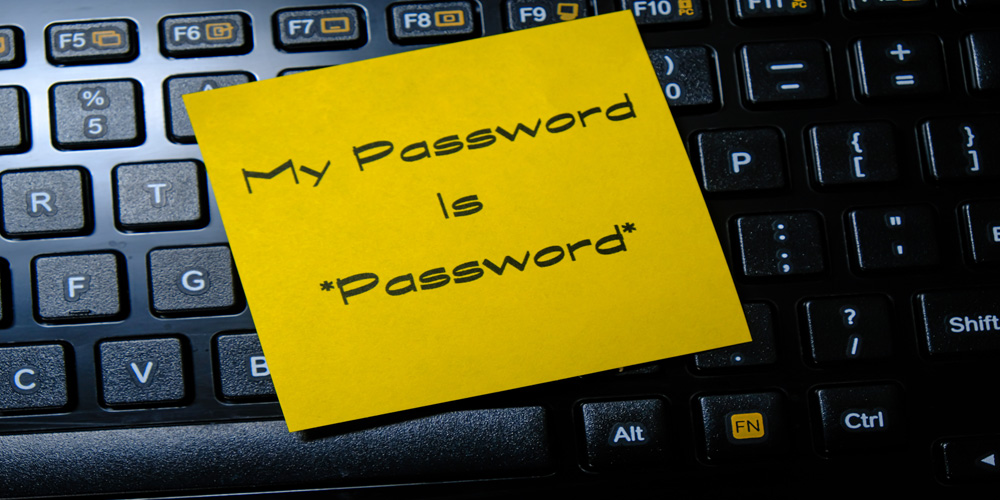
Why a Password Manager is a Good Option in Today’s Online World
In today’s always-connected digital world, our lives are spread across dozens – sometimes hundreds – of online accounts. From banking and shopping to social media, streaming services and work tools, everything now requires a login. Each one of those accounts needs a password, and ideally a different one. Trying to manage all of that on your own is no longer realistic or safe. This is where password managers come in. A password manager is a simple but powerful tool that securely stores all your passwords in one encrypted place and helps you create stronger, unique logins for every account. For most people, it is one of the easiest, most effective steps you can take to improve your online security and protect your digital privacy.
The Problem with Reusing and Remembering Passwords
Most people reuse the same few passwords across multiple accounts, or make only tiny changes such as adding a number or symbol to the end. This is completely understandable: it’s hard enough to remember one long, complex password, let alone dozens of them. As a result, many rely on weak passwords like “123456”, “password” or their pet’s name, which are incredibly easy for attackers to guess or crack. This habit of reusing and recycling similar passwords creates a serious security risk.
When a website suffers a data breach, and its password database is leaked, cybercriminals don’t just try those stolen passwords on that one site. They use automated tools to test them on popular services – email, social media, shopping and bank accounts. If you reuse passwords, a single breach can quickly lead to multiple hacked accounts, financial loss and identity theft. Human error makes things worse: writing passwords down on bits of paper, saving them in plain text files or emailing them to yourself all expose your logins to anyone who gains access to your devices or inbox. Over time, “password fatigue” sets in, and people fall back on shortcuts that feel convenient but dramatically increase their vulnerability. In short, relying on memory and repetition is no longer a safe strategy in the modern online world.
How Password Managers Work (In Simple Terms)
A password manager works a bit like a highly secure digital safe, often called an encrypted vault. Inside this vault are all your usernames and passwords, neatly organised and locked away so that no one else can see them. To open this vault, you only need to remember one strong master password. That master password never leaves your device; it is used to unlock the vault locally, not sent to the company’s servers.
The security behind this is based on strong encryption and what’s known as “zero-knowledge” architecture. Encryption scrambles your data in such a way that it is unreadable to anyone who doesn’t have the correct key. A good password manager encrypts your data on your device before it ever reaches the cloud, and decrypts it only when you unlock it with your master password. Zero-knowledge security means that the provider cannot see your passwords at all, even if they wanted to. They store only the encrypted data; they do not have a copy of your master password and cannot unlock your vault. Combined with end-to-end encryption, this approach ensures that, even if someone intercepted your data or the provider was hacked, your passwords would remain gibberish to an attacker. On top of storing your logins, most password managers also include a secure password generator that creates long, random, complex passwords for you – and remembers them, so you don’t have to.
Key Reasons Why a Password Manager is a Good Option for Everyday Users
For everyday users, the main appeal of a password manager is that it combines convenience with strong security. Instead of juggling dozens of different logins or relying on the same few weak passwords, you only need to remember a single, strong master password. Once you have unlocked your vault, the password manager can automatically fill in your usernames and passwords on websites and apps. This means quicker, smoother logins without the hassle of typing or resetting passwords all the time.
This “secure convenience” saves time and reduces frustration. You spend less time hunting for forgotten details or going through password reset emails, and more time actually getting things done online. At the same time, the passwords being used behind the scenes are far stronger than anything you are likely to remember on your own. By making good security the easiest option rather than an extra chore, a password manager quietly improves your overall online safety every day.
Stronger, Unique Passwords for Every Account
Security experts consistently recommend using long, unique, complex passwords for every single account. In practice, almost no one does this without help, because it is far too difficult to remember that many random strings. A password manager solves this problem by generating strong passwords automatically. With a built-in random password generator, you can create logins that are long, unpredictable and include a mix of letters, numbers and symbols.
Crucially, each of your accounts can have its own unique password. This means that if one site is compromised, attackers cannot use that password to break into your other accounts. You avoid unintentional duplicates and weak patterns, and you dramatically reduce the chances of a single breach spiralling into a wider problem. Over time, your whole online life becomes protected by a web of robust, independent passwords, all managed quietly in the background by your password manager.
Protection Against Phishing and Common Online Threats
Phishing attacks – fake emails and websites designed to trick you into entering your login details – are one of the most common online threats. They often look convincing, copying the design of banks, email providers or popular shops, and they rely on people not checking the web address carefully. A password manager can provide an extra layer of defence against these scams.
Because many password managers check the website’s domain before filling in your details, they will only autofill your password on the legitimate site you originally saved, not on a near-identical fake. If you land on a phishing page with a slightly different address, your password manager should refuse to fill in your login. This acts as a subtle warning sign, prompting you to double-check the site before proceeding. By reducing the risk of entering your details on fraudulent pages, a password manager helps protect you from online scams, financial fraud, and identity theft, complementing your own vigilance and basic cybersecurity habits.
Syncing Securely Across All Your Devices
Most people now use more than one device – a smartphone, a laptop, perhaps a tablet or a work computer. Keeping passwords consistent and up to date across all of them can be difficult. A modern password manager solves this with secure cross-device synchronisation. When you add or update a password on one device, the encrypted version is synced via the cloud so it is available on your other devices too.
Importantly, this syncing is secure. The data remains encrypted during transfer and in cloud storage; only your devices, unlocked with your master password, can decrypt it. This means you can access your passwords from your phone, desktop or laptop wherever you are, without carrying notes or risking insecure storage methods. Whether you are logging into online banking on your mobile or a work app on your home computer, your up-to-date passwords are there when you need them, protected by strong encryption.
Shared Access Without Sharing Actual Passwords
There are times when you need to share access to an account – for example, a shared streaming service with your family, an online subscription with a partner, or business tools within a team. Simply telling someone the password creates problems: they might reuse it elsewhere, change it without telling you, or write it down insecurely. A password manager offers a safer alternative through secure password sharing.
With family or team features, you can grant others access to specific logins without revealing the actual password. They can log in as needed, but the password itself remains hidden and managed by the system. You retain control over who can use each login and can revoke access at any time, for instance if someone leaves a company or no longer needs entry. This makes it far easier to maintain good access control at home and at work, improving business password security and reducing the risk of sensitive accounts being misused or left accessible to former staff.
Comparing Free vs Paid Password Managers
There are both free and paid (premium) password managers available, and understanding the difference helps you choose wisely. A good free password manager can offer the core essentials: secure password storage, basic autofill and a password generator. For many individuals, particularly those just starting, this may be enough to improve their online security at no cost significantly.
Paid or premium password managers typically include additional features that offer better value for money over time, especially if you have more complex needs. These extras can include advanced security alerts, secure file storage, priority support, family or team plans, and dark web monitoring that warns you if your details appear in known data breaches. When weighing cost versus benefit, it is worth considering not only the subscription price but also the potential cost of a security incident or identity theft. For many users, the modest annual fee of a reputable premium password manager represents a sensible investment in added protection and peace of mind.
How to Choose the Right Password Manager for You
Choosing the best password manager in the UK for your needs requires looking at a few key factors. First and foremost, examine the security features: strong, modern encryption, zero-knowledge architecture, support for two-factor authentication and a good security track record. Transparency matters too; many users prefer providers that publish security audits or offer open-source components that can be independently reviewed.
Next, consider how user-friendly the apps are on your devices. A password manager should make everyday tasks easier, not more complicated, so look for clear interfaces, reliable browser extensions and well-designed mobile apps. Check which platforms are supported and how well the sync works between them. It is also wise to choose a trusted provider with a solid reputation, established presence and clear privacy policy. Some users prefer open-source options for additional transparency, while others are happy with commercial services that offer strong customer support and extra features. Ultimately, the right choice is the one that you feel comfortable using consistently, as regular use is what delivers real security benefits.
Setting Up Your First Password Manager Step by Step
Getting started with a password manager is more straightforward than many people expect. Typically, you begin by creating an account with your chosen provider and installing the app or browser extension on your main device. One of the most important steps is creating a strong master password, as this protects your entire vault. Choose a long, memorable passphrase rather than a short, simple word, and avoid anything that could be easily guessed from your personal life.
Next, you can import your existing passwords. Many password managers can pull saved logins from your browser or from a file exported by another service, helping you avoid starting from scratch. As you go along, you can tidy up weak or duplicate passwords using the built-in tools. Enabling two-factor authentication (2FA) on your password manager account is also strongly recommended, adding a second layer of protection in case someone ever discovers your master password. After that, you start using the password manager in your daily life: let it generate new passwords when you sign up for sites, save logins as you go, and gradually update older, weaker passwords over time.
Addressing Common Myths and Concerns
It is natural to have questions about whether password managers themselves are safe. One common concern is the idea of a “single point of failure” – the fear that if your password manager is hacked, all your accounts will be exposed at once. In reality, reputable password managers are specifically designed to minimise this risk. Because of strong, end-to-end encryption and zero-knowledge design, even if someone breached the provider’s servers, they would only obtain scrambled data that is useless without your master password.
Another worry is what happens if you forget your master password or lose access to your account. Responsible password managers provide options such as secure offline backups, recovery keys, or emergency access for trusted contacts, while still maintaining strict security. Misconceptions also arise around whether storing all passwords in one place is inherently dangerous. In practice, keeping them in a properly encrypted vault is vastly safer than spreading them across sticky notes, documents and memory. While no system is absolutely perfect, the security gains from using a reputable password manager far outweigh the theoretical risks, especially when combined with good habits such as enabling two-factor authentication.
Why a Password Manager is a Good Option You Shouldn’t Put Off Any Longer
Putting off better password habits is easy, but every day you delay leaves your online accounts more exposed. As more of your life moves online – from banking and bills to healthcare and work – the potential impact of a compromised account only grows. A password manager offers a straightforward, practical way to take control of your online security without needing to become a cybersecurity expert.
By adopting a password manager now, you replace weak, reused logins with strong, unique ones, reduce the chances of falling for phishing scams, and make it far easier to manage your digital life across all your devices. It is a simple security upgrade that can significantly lower your risk of hacking and identity theft while saving you time and frustration. For most everyday users, the question is no longer whether a password manager is a good option, but how soon you can start using one. Taking that step today is one of the most convincing and effective ways to protect your accounts and gain genuine peace of mind online.