
Setting Strong Passwords for Better Online Security
Passwords are one of those small things we deal with almost every day without giving them much thought. We type them in to check our email, log in to social media, access our bank accounts, shop online, and use countless apps and websites. Because passwords are so routine, it is easy to become careless about them.
Many people still use simple passwords that are easy to remember, reuse the same password across several accounts, or make only small changes when creating a new one. These habits may be convenient, but they can also put personal information at risk.
The good news is that creating stronger passwords does not have to be complicated. With a few sensible habits, you can make your online accounts much harder for attackers to break into.
Good Password Habits Do Not Have to Be Difficult
Improving password security can seem like a big task, especially if you have accumulated dozens of online accounts over the years. You do not have to fix everything in one afternoon.
Start with your most important accounts. Create a unique, strong password for your primary email account, financial accounts, cloud storage, and other services containing sensitive information. Then gradually work through the rest.
A simple checklist can help:
- Use long, unique passwords or passphrases.
- Avoid common words and predictable patterns.
- Do not use personal information in passwords.
- Never reuse important passwords across different accounts.
- Consider using a reputable password manager.
- Enable multi-factor authentication where available.
- Be cautious about unexpected login links and messages.
- Change passwords when you know or suspect they have been compromised.
- Review and close old accounts you no longer need.
Why Strong Passwords Matter
A password is often the first line of defence protecting an online account. If someone manages to guess or obtain your password, they may be able to access personal information, private messages, photographs, financial details, or other sensitive data.
The risk grows even greater when you use the same password for multiple accounts. Imagine using one password for an online shopping account and your email account. If that shopping website suffers a data breach and your password is exposed, someone could potentially try the same password on your email account.
That is why password security isn’t just about making one difficult password. It is about using strong, unique passwords for your important accounts.
What Makes a Password Strong?
A strong password should be difficult for another person or an automated password-guessing system to crack.
One of the most important factors is length. Longer passwords generally provide more possible combinations, making them harder to guess. Instead of using a short word such asSunshine123, consider using a longer passphrase made from several unrelated words.
For example, a password could be based on a phrase such as:
River-Coffee-Lamp-Cloud-27
The important thing is not to copy this example exactly. Instead, create your own unique passphrase.
A strong password should also avoid information that is easy to associate with you. Your name, birthday, favourite football team, pet’s name, or home address may seem like useful ingredients, but these details can sometimes be discovered through social media or other public information.
Avoid Common Password Mistakes
People often create passwords with good intentions but accidentally make them predictable.
One common mistake is using obvious sequences such as:
123456passwordqwertypassword123abcdef
Another common habit is making a password slightly different for every website. Someone might use Summer2025, then Summer2026, or add an exclamation mark when a website requires a symbol.
Although these passwords may technically meet a website’s requirements, predictable patterns are not ideal. A stronger approach is to use passwords that are genuinely different from one account to another.
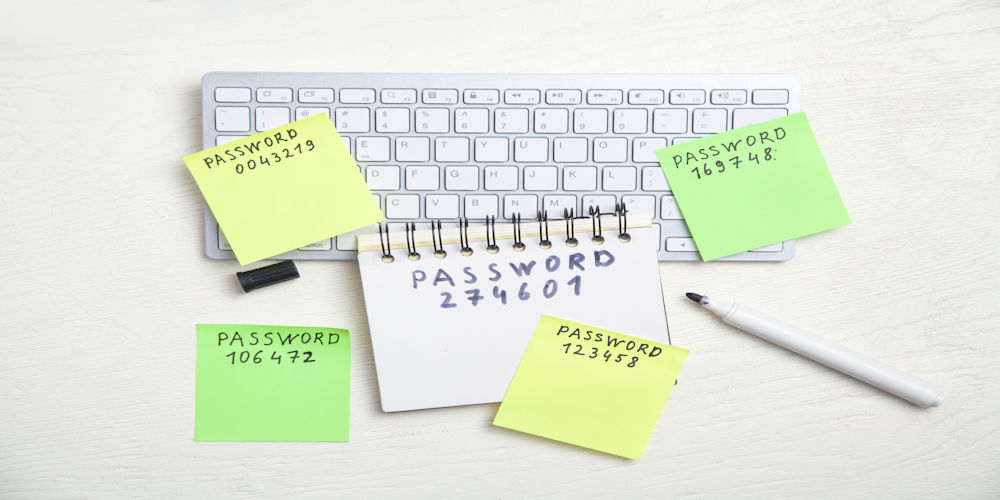
You should also avoid writing passwords in easily accessible places, such as a note stuck to your monitor or an unprotected document on your computer.
Never Reuse Important Passwords
Password reuse is one of the biggest problems people face online.
It is understandable. Remembering dozens of different passwords can feel impossible, so using one familiar password everywhere seems convenient. Unfortunately, convenience can create a chain reaction if one account is compromised.
Consider what happens if your password is exposed in a data breach. An attacker may try that same username and password combination on other popular websites. If you have reused the password for your email, shopping account, social media, and other services, one stolen password could potentially put several accounts at risk.
For this reason, your email account deserves particular attention. Your email is often connected to password-reset links for many other services. If someone gains access to your email, they may be able to attempt to reset passwords elsewhere.
Use a Password Manager
If you are wondering how anyone can remember dozens of unique, complicated passwords, there is a useful solution: a password manager.
A password manager securely stores your passwords so you don’t have to memorise every one. It can also generate long, random passwords for different websites.
Instead of remembering 30 different passwords, you may only need to remember one strong master password that protects the password manager itself.
This can make good password habits much easier. Rather than thinking, “I will never remember that password,” you can allow the password manager to generate and store it for you.
When choosing a password manager, use a reputable service and protect it with a strong master password. Enable additional security features, such as multi-factor authentication, where available.
Turn On Multi-Factor Authentication
A strong password matters, but it shouldn’t be your only layer of protection.
Multi-factor authentication (MFA) adds another step when you sign in. Depending on the service, this might involve an authentication app, a security key, or another verification method.
The basic idea is simple: even if someone obtains your password, they may still need another factor to access your account.
MFA is particularly useful for important accounts such as email, banking, cloud storage, and social media. If a service offers MFA, check its security settings and consider enabling it.
Be Careful When Entering Your Password
Even the strongest password can be compromised if you give it to the wrong person or website.
Phishing attacks are designed to trick people into revealing sensitive information. You might receive an email or message claiming that your account has a problem and asking you to click a link and sign in.
The message may look convincing, but the website behind the link could be fake.
Before entering a password, check where you are logging in. Instead of clicking a link in an unexpected message, open the official website or app yourself.
Also be suspicious of anyone who asks you to send your password by email, text message, or social media. Legitimate organisations generally have secure processes for account verification and password recovery.
Change Passwords When There Is a Reason
Many people believe everyone should change all their passwords every few weeks or months. In practice, constantly changing passwords can sometimes encourage people to create predictable variations or write passwords down.
A more useful approach is to make passwords strong and unique from the start, and change them only when there is a specific reason.
For example, you should consider changing a password if you believe it has been exposed, if you shared it accidentally, or if a service reports a security incident affecting your account.
If you use the same password across several accounts, changing those passwords to unique ones is also a worthwhile improvement.
Check Your Old Accounts
Online security is not only about the accounts you use today. Many people have old accounts they created years ago and completely forgot about.
Old accounts can still contain personal information. If you no longer need an account, consider closing it after checking whether you need to keep anything important.
For accounts you continue to use, review their security settings from time to time. Check your recovery email address, phone number, active sessions, and other security options.
It is also useful to review which apps and services have access to your accounts and remove access that you no longer need.
Final Thoughts on Online Security
Good online security does not require you to be a technology expert. Often, it comes down to a few consistent habits.
A strong password is not simply something that looks complicated. It should be long, difficult to guess, and, most importantly, unique to the account it protects. Combining strong passwords with a password manager, multi-factor authentication, and good phishing and cybersecurity awareness can provide several layers of protection.
The next time you create an account, take a few extra minutes to think about the password you are using. That small decision may seem insignificant, but it can make a meaningful difference to the security of your personal information.
In the digital world, convenience is useful, but a little extra care can go a long way. Your passwords are protecting parts of your digital life every day, so they deserve to be treated as seriously as the locks on your front door.